

Sync your calendars.
Simple. Secure. Automatic.
Kalender Sync connects Outlook, iCloud, Google, GMX, WEB.DE, mailbox.org, Posteo, STRATO, Disroot & kSuite in real time – one- or two-way.
Kalender Sync in 30 seconds
Clicking play loads YouTube. Data will be sent to Google.
No credit card required.


Currently supported providers
 STRATO
  Disroot
 Let your agent set up your syncs
Connect your agents – Claude, ChatGPT or others – to your calendars through Kalender Sync and have your syncs created just by asking. On top of that, your agent becomes your assistant: it finds free time across all your calendars, creates events and helps you plan.
Claude and Claude Cowork
 Open in Claude
 - 1 Click Connect in the directory.
- 2 Sign in to Kalender Sync – your account is created on the way – and connect your calendars.
- 3 Choose per calendar: busy only, title and time, or full details, plus optional write access.
Claude Code
- 1 Run in your project: Terminal
claude mcp add --transport http \
  kalender-sync https://app.kalender-sync.de/mcp
- 2 Start Claude Code, type /mcp, pick kalender-sync and choose Authenticate. Then sign in and grant your calendars.
 Open in ChatGPT
 - 1 Add Kalender Sync and connect it.
- 2 Sign in to Kalender Sync – your account is created on the way – and connect your calendars.
- 3 Choose per calendar: busy only, title and time, or full details, plus optional write access.
 Open the plugin
 - 1 Codex uses the same plugin directory as ChatGPT: add Kalender Sync and connect it.
- 2 Sign in to Kalender Sync – your account is created on the way – and connect your calendars.
- 3 Choose per calendar: busy only, title and time, or full details, plus optional write access.
- 1 Create an account in the app (7 days free, no credit card) and connect your calendars.
- 2 In the app, open AI assistant → Connect the assistant → Something else, choose your calendars and create the key. It starts with ksa_ and is shown only once.
- 3 Add the entry to ~/.cursor/mcp.json and replace ksa_… with your key. Existing servers stay as they are. ~/.cursor/mcp.json
{
  "mcpServers": {
    "kalender-sync": {
      "url": "https://app.kalender-sync.de/mcp",
      "headers": {
        "Authorization": "Bearer ksa_…"
      }
    }
  }
}
- 1 Create an account in the app (7 days free, no credit card) and connect your calendars.
- 2 In the app, open AI assistant → Connect the assistant → Something else, choose your calendars and create the key. It starts with ksa_ and is shown only once.
- 3 Run in Grok Build and replace ksa_… with your key: Terminal
grok mcp add --transport http kalender-sync https://app.kalender-sync.de/mcp \
  --header "Authorization: Bearer ksa_…"
- 1 Create an account in the app (7 days free, no credit card) and connect your calendars.
- 2 In the app: AI assistant → Connect the assistant → OpenClaw. Choose calendars and permissions, then create a key. Use this key only in OpenClaw.
- 3 Set the key as environment variable KALENDER_SYNC_KEY and add the server in OpenClaw: Terminal
openclaw mcp set kalender-sync '{
  "url": "https://app.kalender-sync.de/mcp",
  "transport": "streamable-http",
  "headers": { "Authorization": "Bearer ${KALENDER_SYNC_KEY}" }
}'
Paste this task into your assistant. It reads the guide and walks you through it step by step:
Read https://kalender-sync.de/en/agents.md and connect me to Kalender Sync. Walk me through sign-in and granting my calendars step by step.
You do the sign-in yourself, your assistant tells you what comes next. In Claude and ChatGPT everything runs through the sign-in window, with other assistants it helps you create an access key.
Agent guide (agents.md) SKILL.md https://app.kalender-sync.de/mcp
Sync your calendars
Connect calendars
Sign up and connect your calendars in a few clicks – using the familiar Google or Microsoft login. Apple, GMX & co. connect securely via an app-specific password.
Choose visibility & sync
You decide: one-way or two-way sync, who sees what, and whether to share your calendar with someone else.
Automatically in sync
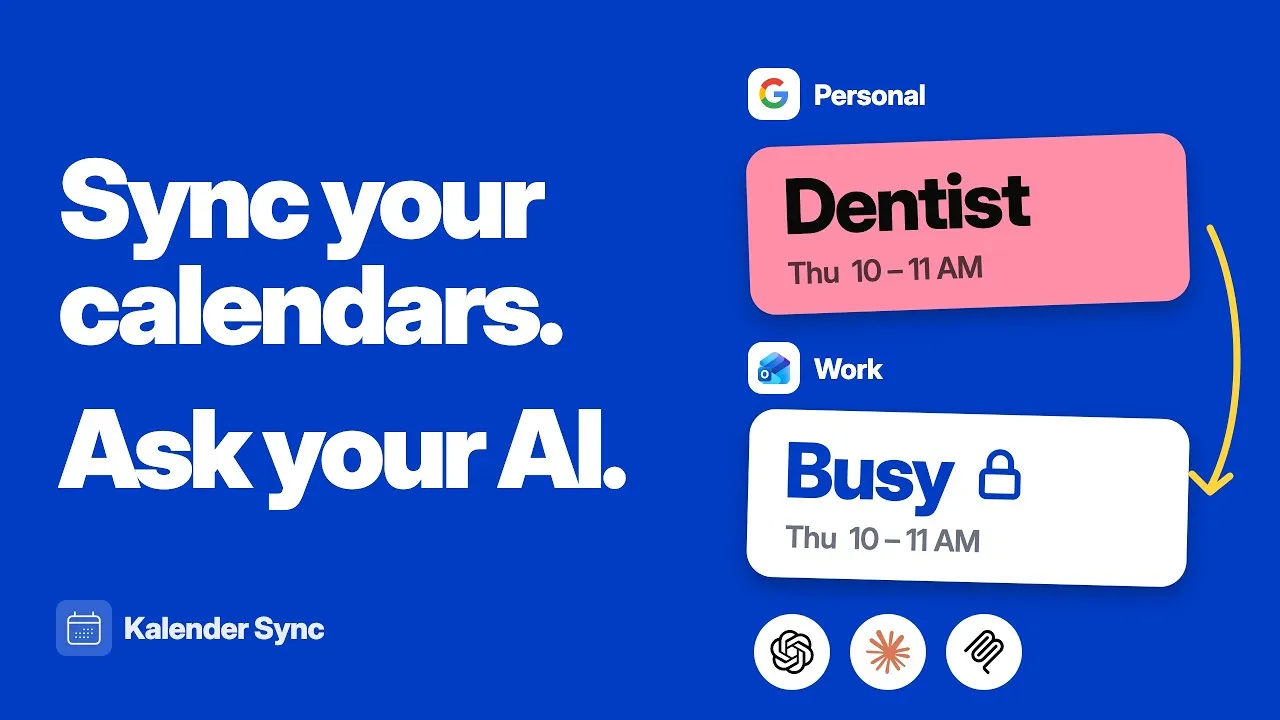
From now on it runs in the background. Blocked slots appear by themselves – never worry about double bookings again.
Connect your AI agent
Connect your assistant
Search for Kalender Sync in Claude or ChatGPT and hit Connect. There are no keys and no side setup, and after about two minutes the connection is live.
Grant your calendars
Pick the calendars your assistant should know and set for each one how much of it is visible. Work, personal or side project is entirely your call.
Hand off the work
Just ask where you still have two hours in one piece this week. Your assistant answers across every calendar and books the event in the right one if you want. That puts you among the more than 1,000 people who have handed their scheduling over already.
Get to know Kalender Sync in 30 seconds
Connect your calendars in a few clicks, set up syncs, connect your agent and let it become your assistant that runs your calendars for you.
Clicking play loads YouTube. Data will be sent to Google.
Features
All the flexibility you need to sync your calendars
One-way or two-way sync
Sync in one direction or both: per connection, decide whether a calendar is mirrored one-way or both calendars keep each other in sync (bidirectional).
GDPR-compliant & hosted in Germany
Built in Munich, made for Europe. Your data is processed in line with GDPR and hosted on servers in Germany.
For yourself or to share
Sync several of your own calendars with each other – or create a sharing for someone else. They get invited, add it to their calendar, and from then on everything stays in sync.
You decide what's visible
Per sync, pick whether only "busy" or full event details transfer. You can even set the label a blocked slot appears under – e.g. your own custom label. From Basic, copies also keep their event color or get one color per calendar.
What you get when your AI knows your calendar
Every calendar on one connection
Most calendar integrations hang off a single account. Here your assistant sees your whole schedule at once: Outlook, Google, Apple, GMX, WEB.DE, mailbox.org, kSuite, Posteo, STRATO and Disroot all come together in Kalender Sync. Your provider logins stay with us and are never passed on, and everything is managed in one place.
From AI to assistant
An AI without your calendar answers in general terms. With it, it plans your day, suggests times that are genuinely free, drafts the email with the meeting options and books the event itself if you ask.
You decide what your assistant sees
For each calendar you choose between busy, title with time, and full details. A calendar you don't grant doesn't exist for the assistant, and attendees or attachments never leave your calendar.
And you decide what it may do
Whether it only looks or also creates events is your call, per calendar. Every action is logged with a timestamp so nothing happens unnoticed, and you can end the connection with one click. Hosted in Germany.
Use cases
For everyone who needs to stay on top of their schedule
From tax advisors and teachers to executives: anyone juggling many appointments across multiple calendars saves time and stress with Kalender Sync.









Wall of Love
Don't just take our word for it.
Our users are our best and most honest ambassadors. See why they wouldn't go back.

„When you run several companies you eventually lose track of which calendar holds what. KalSync has been humming in the background for months – set it up once and never double-book again. That's how it should be."

„I'm on a job site, not at a computer. When a customer calls I need to know in a glance whether I have time – now I do. Customer appointments, supply runs, family – all in one calendar."

„As a dev with a day job and side projects I kept getting collisions between work and freelance. KalSync separates them cleanly now – my employer only sees 'busy', my clients see their slots. Exactly how it should be."

„What really bugged me: colleagues could see the titles of my private appointments when I blocked time. Now it just says 'busy' – sounds small, but it makes a real difference."

„I'll be honest, I'm not a tech person. But juggling lectures, office hours and management meetings in separate calendars was a nightmare. Set it up once, it runs – that's all I need."

„Between agency work, my own projects and client meetings things get messy fast. KalSync keeps it all in sync without me lifting a finger – I see in a glance when I'm actually free. De-stressed my calendar."
About us
Why we built Kalender Sync
We, Paul Koch and Julius Hasenzahl, are both founders running multiple companies — which means we juggle a thousand calendars too. We know the double-booking pain. What we were missing: a solution that's truly GDPR-compliant, made in Europe and leaves us in control — one- or two-way, with selectable visibility. So we built one ourselves.
Happy to help if you have questions or ideas for getting your sync setup even sharper.

Clicking play loads YouTube. Data will be sent to Google.
From a customer
“We are absolutely impressed by the step-by-step setup and by getting exactly the result we wanted (including the selectable options we hadn't even thought of for the sync).” DEKRA-certified expert for real estate valuation Translated from German
Ready to fix your calendar chaos for good?
Try free for 7 daysCurrently supported providers
GoogleMicrosoftApple iCloudKSuiteGMXWEB.DEmailbox.orgiCal-Feeds
