
 Claude Cowork
Connect Claude Cowork to all of your calendars
Kalender Sync connects Claude Cowork to all of your calendars: Outlook, Google, Apple, GMX, WEB.DE and more. With one connector you let your agent handle your calendars and get noticeably more done. Create events, check availability, plan your day, all through a single interface.
Reaches these calendars
Add the connector
Open Connectors, search for Kalender Sync and hit Connect. You confirm once that the connector isn't built by Anthropic.
Grant your calendars
Sign in with us and set for each calendar how much your agent may see and whether it should be able to create events. It takes less than two minutes.
Let it work
From now on your agent plans with your real calendar instead of assumptions. It suggests times that are genuinely free and books events when you ask. That puts you among the more than 1,000 people who leave their calendar to an agent.
Every calendar on one connection
An agent that only knows one calendar plans around half your life. Here Outlook, Google, Apple, GMX, WEB.DE, mailbox.org, kSuite and Posteo come together, so every answer is based on your entire schedule. Your provider logins stay with us and are never passed on.
From agent to assistant
When your agent takes on longer tasks, the calendar is often the missing piece. With it, it books meetings, proposes times that work and writes the message to go with them instead of asking you when you are free.
You decide what it may see
For each calendar you choose between busy, title with time, and full details. Anything you don't grant never shows up for your agent.
And you decide what it may do
Looking only or booking as well is set per calendar. Every action is logged with a timestamp, and you can end the connection whenever you like. Hosted in Germany.
Tutorial
This is how you connect Cowork.
The video walks the whole way: add the connector, grant your calendars at the level of detail you want, and have the first event created from a simple message.
Read the guide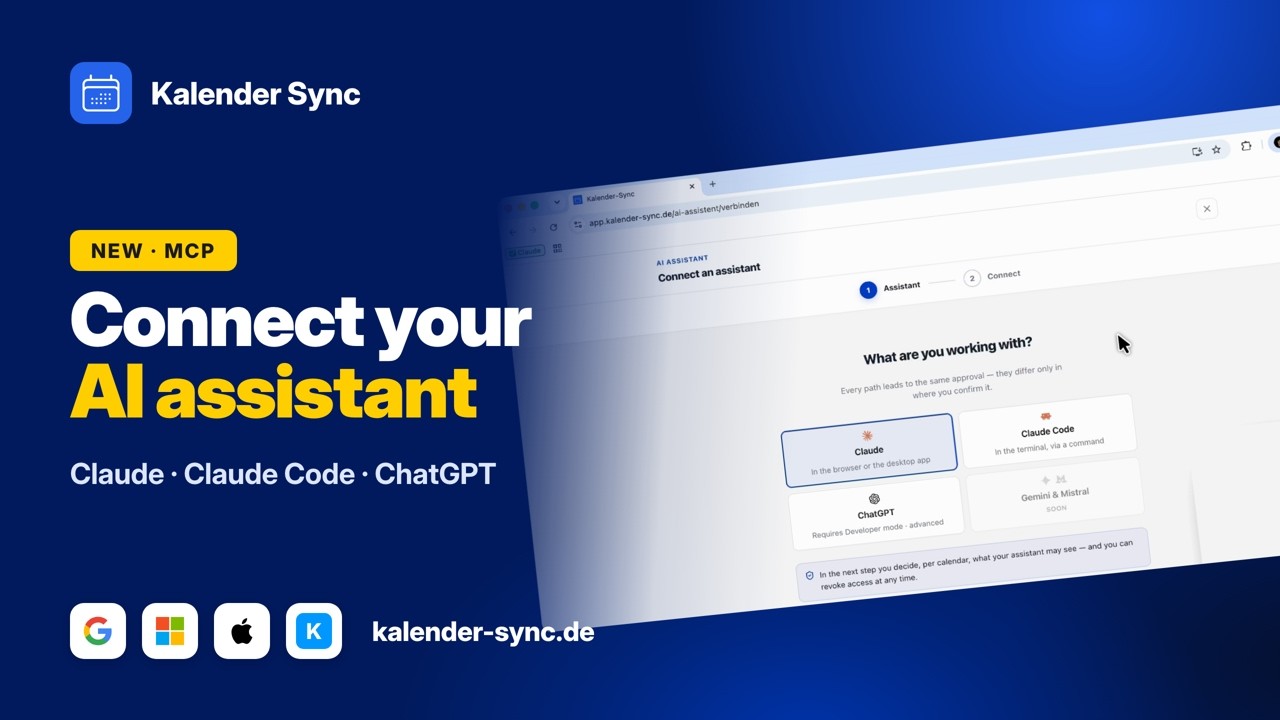
Clicking play loads YouTube. Data will be sent to Google.
Examples
What you can ask your agent
You describe the task in ordinary sentences. Your agent looks into exactly the calendars you granted and plans with what is really in them.
See the day
One question is enough to get a summary of what is coming. Whether the event sits in a work or a private calendar makes no difference.
- What is on this week?
- What does my Thursday look like?
- When is my next meeting?
Find free time
When your agent takes on longer tasks, the calendar is often the missing piece. With it, the times it suggests are actually free.
- Where do I have two hours in one piece?
- When does a workshop for four people fit?
- Offer the client three times.
Create events
Once you allow creating for a calendar, the work doesn't end at the suggestion. The event gets booked and shows up wherever you already keep your calendar.
- Put the call on Tuesday at 10.
- Block Friday for the preparation.
- Add the deadline on the 12th.
Wall of Love
Don't just take our word for it.
Our users are our best and most honest ambassadors. See why they wouldn't go back.

„With three companies I used to dig through three calendars whenever somebody asked for a meeting. Today I ask once and get an answer that already accounts for all of them."

„I am on job sites all day and rarely near a computer. When a customer calls, I just say the appointment into my phone afterwards and it lands in the right calendar with the address."

„I am in the terminal anyway, so that is where I plan now. One sentence and the four hours for the rebuild are in my calendar without me switching windows."

„I started by only letting it look things up, because I was sceptical. These days it prepares half my week and I mostly just correct things."

„I am honestly not a tech person and did not want anything complicated. I type in when I would like to hold office hours and get three suggestions that actually work."

„Sending clients meeting options was always the task that got left for later. Now the email comes back written and already checked against the agency and project calendars."
FAQ
Frequently asked questions about Claude Cowork
What is my agent allowed to do in my calendar?
You set that per calendar: look only, or create events as well. The switch for creating starts off, and you open it exactly where it makes sense.
Because an agent here works through longer tasks in one go, the access log is worth a look: every query and every event is in there with a timestamp.
What the assistant may doDoes my agent see everything in my calendar?
Only as much as you grant. Per calendar you choose between busy, title with time, and full details.
Attendees, attachments and links always stay out of it, and calendars you haven't granted don't exist for your agent.
The three visibility levelsI already connected Kalender Sync in Claude.
Then you are done. The grant hangs off your account with us rather than a single surface, so your agent can work with it here right away.
Revoking works the same way, for everything at once. If you want to grant different calendars for this purpose, you change that in the app in the same place.
Which calendars can I connect?
Outlook and Microsoft 365, Google, Apple iCloud, GMX, WEB.DE, mailbox.org, Infomaniak kSuite and Posteo, plus iCal feeds as a source.
You can connect as many of them as you like at the same time. That is rather the point: your agent shouldn't know a slice of your schedule, it should know all of it.
See all providersWhat does it cost?
From 5 euros a month. What you need depends mostly on how many calendars you want to connect: the Basic plan covers three accounts, Professional as many as you like.
The assistant itself costs nothing extra, it is part of every plan. You can try the whole thing for seven days, without a credit card and without anything renewing on its own.
See the plansConnect your other agents too
Kalender Sync sits behind an open interface, so whatever else you use reaches the same calendars in the same way. Every agent gets its own access with its own visibility, and you can end each one separately.



Ready for an agent that knows your week?
Connect Cowork nowCurrently supported providers
GoogleMicrosoftApple iCloudKSuiteGMXWEB.DEmailbox.orgiCal-Feeds
