


If you’ve come across “MCP” over the past months and nodded politely without quite placing it: this article is for you. We run an MCP server ourselves, and this is our attempt to explain what the protocol is, how it works and where to be careful. In plain language, with an example you probably know from your own life.
The problem MCP solves
Language models like Claude or ChatGPT are sealed off by default. They can write, summarise and code, but they know nothing about your world: not what’s in your calendar, not what’s in your CRM, not which files sit on your server.
Until 2024, every vendor solved this separately. OpenAI had plugins, then “GPTs” with actions; Anthropic had its own tool integrations; and every product that wanted to talk to AI built a separate integration per platform. If you wanted your tool available in three assistants, you built it three times. That visibly didn’t scale.
So in November 2024, Anthropic published the Model Context Protocol as an open standard: a shared language in which AI assistants and external services talk to each other. The moment it became clear MCP would win came in spring 2025, when OpenAI, of all companies, adopted its competitor’s standard. By now Claude, ChatGPT and a growing share of other assistants speak MCP, and there are directories listing tens of thousands of servers.
How it works, in three terms
MCP has three roles, and you don’t need more vocabulary than this to start:
- The host is the AI application you’re using: Claude, ChatGPT, a code editor with AI built in.
- An MCP server is a service that offers the assistant something. Not necessarily a machine in a basement; usually it’s a small intermediary in front of an existing service, running locally on your computer or hosted on the web.
- Tools are the individual capabilities a server offers, each with a name and description. A calendar server might offer a “check availability” tool; a database server, one called “run query”.
The flow itself is unspectacular, which is the best thing about it: you ask the assistant a question. The assistant looks at which tools its connected servers offer and decides whether one of them helps. If so, it calls the tool, gets the result back, and builds its answer from it.
Concretely, with our own server: you ask Claude “Am I free Thursday at 2pm?”. Claude recognises it can’t answer that with eloquence alone, calls the availability tool on the Kalender Sync server, the server checks live with Google, Outlook and iCloud, and Claude replies: “Thursday 2pm is free, but a blocker starts at 3.” To you it feels like Claude simply knew. In reality it looked it up, from a service you explicitly allowed it to use.
You can think of MCP as a shared power socket: any device with the right plug fits any outlet. But every socket metaphor honestly breaks down at the most important point, because unlike electricity, what flows here is your data. Which is why every MCP explainer should include the section many of them skip:
The security part you shouldn’t skip
MCP makes assistants more capable, and capability without boundaries is a bad idea in AI. Three things are worth understanding before you connect servers:
1. An MCP server sees what you give it. Connect a server to your calendar, your email or your database, and its operator processes that data. So the first question before any connection isn’t technical at all: who runs this, where does it run, and what do they store? For an anonymous GitHub project with no legal entity behind it, the answer is often: unclear. For European users, GDPR adds another layer, since many popular servers run on US infrastructure.
2. Write access deserves suspicion. A server that only reads can, at worst, leak data. A server that writes can do things: delete events, send emails, change records. This is the most-discussed topic in the MCP community, roughly summarised as “I don’t actually want the AI rummaging through my calendar unsupervised”. The answer is tight, technically enforced boundaries. On our server, for instance, permissions are separate per calendar: without a dedicated extra permission, the assistant can only touch events it created itself, and the server checks that on every call. Boundaries like that should live in the design, not in a behavioural rule you hope gets followed.
3. Calendar entries are inputs. A subtler risk is called prompt injection: an assistant that reads event titles and descriptions is reading text that strangers may have written, for example in an invitation. Crafted text can try to steer the assistant into actions. That’s one more reason it matters that you can control how much the assistant sees in the first place. We offer three detail levels per calendar for exactly this, and the most frugal one (“busy only”) transmits no third-party text whatsoever.
None of this is a reason to avoid MCP. It’s a reason to vet servers the same way you’d vet any app you grant account access to.
What you can practically do with it
MCP is infrastructure, and infrastructure is exactly as interesting as what gets built on it. A few things that genuinely work today:
- Calendars: check availability across all your calendars, get slots suggested, have events created on request. (Our case; more below.)
- Development: code assistants use MCP to reach databases, ticket systems and deployments, instead of you copy-pasting error messages back and forth.
- Knowledge work: note-taking tools, document stores and internal wikis become searchable without pasting their contents into a chat.
The pattern is always the same: the assistant stops guessing and starts looking things up.
MCP by example: our calendar server
To close, a word about our own corner of this, because it makes the abstract concrete: we’ve spent years syncing calendars with Kalender Sync (Google, Outlook, iCloud, GMX and more), and when MCP arrived, the step was obvious: infrastructure that already knows all of a person’s calendars is precisely what an assistant needs.
Our AI assistant is a hosted MCP server, one connector for all your calendars. Its design decisions are essentially the three security points above, implemented: operated in Germany under GDPR, three detail levels per calendar, write access limited to the assistant’s own events, every query logged (without content), revocation in one click. The setup guides for Claude and ChatGPT are here on the blog.
But whether or not you ever use our server: MCP is worth understanding as a concept, because it’s currently becoming the standard interface between AI and the rest of the software world. If you know what an MCP server is today, you’ll parse the AI announcements of the next few years considerably faster.
The short version
- MCP (Model Context Protocol) is an open standard that lets AI assistants talk to external services. Published by Anthropic in late 2024, since adopted by OpenAI and others.
- An MCP server offers the assistant tools; the assistant decides mid-conversation when to call them.
- The benefit: the assistant answers with your real data instead of guesses.
- The due diligence: check the operator, question write access, limit visibility. Good servers make exactly that easy for you.
Transcript: the tutorial video in text form
The full tutorial video above as a lightly cleaned transcript:
Show transcript
[0:00] Hi, this is Julius from Kalender Sync. Today I’ll show you how to turn your agent into an assistant that knows your calendars, knows how to manage them and can tell you when you’re free. When you sign in to Kalender Sync, you’ll find a new tab: “Connect AI assistant”.
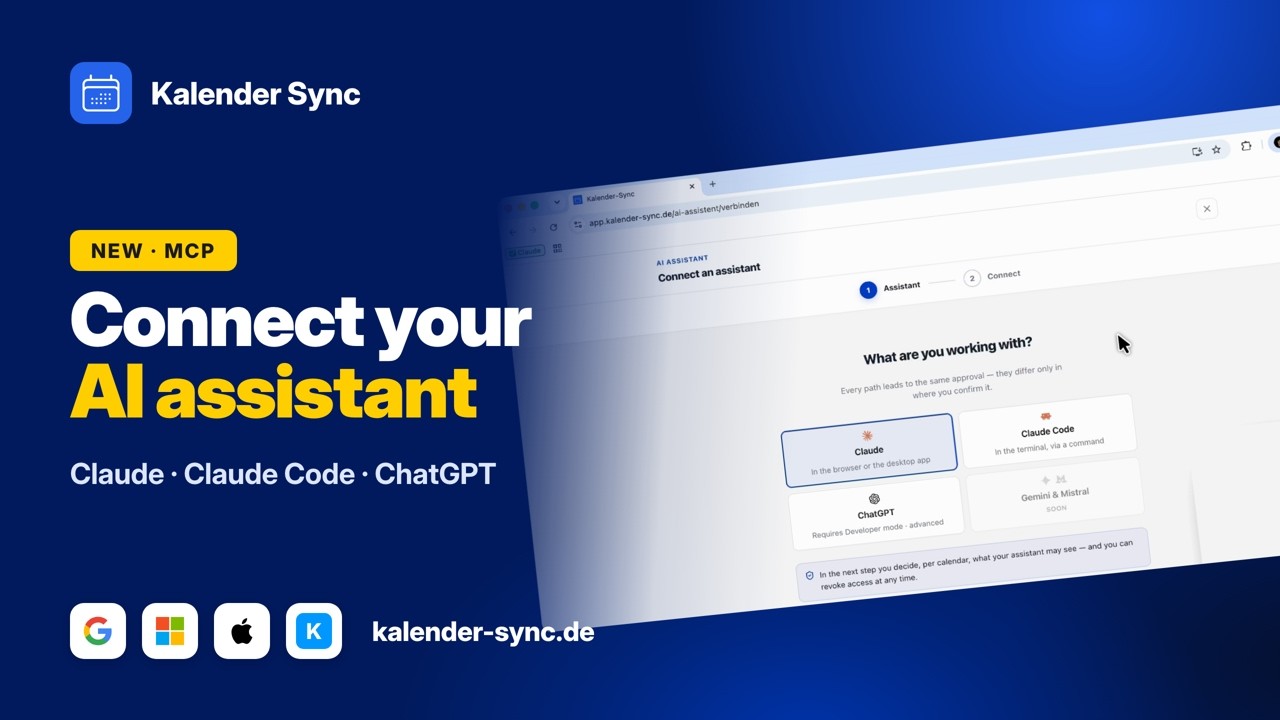
[0:25] Click “Connect AI assistant” and you’ll see three options for now: Claude from Anthropic, Claude Code, and ChatGPT from OpenAI. Gemini and Mistral are coming soon – if you need them, let us know and we’ll push them up the roadmap. (Note, October 2026: you can now also connect Codex, Cursor, Grok and OpenClaw. Gemini and Mistral are not connected yet.)
[0:47] We start with the normal Claude: click continue, then “Connect to Claude”. A window opens – sign in to your Anthropic account if you haven’t – and click “Add”.
[1:16] Now I get the window where I pick which calendars I want to share. I share this calendar with all details, and the agent is allowed to create and manage events for me. I name this access “my intelligent assistant” and click “Allow access” – and the connection is established.
[2:17] You can also manage it inside Claude: toggle whether it may always write appointments for you, or whether you want to approve each action manually.
[2:45] Back in Kalender Sync we see it: “My intelligent assistant” writes to one calendar, with all details, and can create events. Below are the access logs – whenever it creates, deletes or manages something for me, it all shows up here.
[3:26] Next, ChatGPT: here you have to enable OpenAI’s developer mode. There’s an illustrated step-by-step guide – follow it, copy the server URL, add a new connector and paste it in like on the pictures. The consent window afterwards is basically identical to Claude’s.
[4:07] For Claude Code, click Claude Code and you’ll see this command. Copy it and run it in your project – I work a lot in terminals. Done, the MCP is connected.
[4:30] Then start a Claude Code session in your CLI and type /mcp. You’ll see kalender-sync needs authentication – tap authenticate. The same window opens as with the normal Claude: choose what the agent can do. Let’s use all details and call him “Jarvis the second”. Allow access – authentication successful.
[5:18] Now we ask: “Claude, please add an appointment for tomorrow at 9 a.m.” It uses the MCP we connected: it checks which calendar it can write into, what date tomorrow is, and whether I’m free – no other appointments.
[6:15] It asks for the title – “feedback session with Paul” – and the duration: 1.5 hours. It calls Kalender Sync, asks for my permission again, and voilà: the appointment is there.
[6:45] Back in Kalender Sync we check the logs and see the actions it performed: it got availability, listed the calendars and created the event.
[7:05] If you want to disconnect it, click disconnect – the access of this MCP is revoked. That’s how easy it is to connect your assistants to the new calendar MCP and let them do all the boring stuff for you. Questions? Send us a message – we’re happy to help.